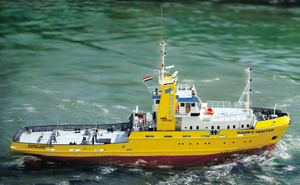
Would anyone be interested in a 3D printer Blog?
I ordered a 3D printer.
As most of my friends on another website are getting them!
And I thought of maybe doing.
An assembly and run Blog here!
Please, let me know what you think!
Cheers, Ed
Sorry, No picture!
My 3D Printer just arrived today!
Along with 1 spool of PLA White plastic thread!
The Printer comes with about.
A 25' length of plastic thread!
So, my plan is to blog the assembly.
Of the printer!
So, I'll start the blog tomorrow!
As, I have a lot of videos to watch!
The printer comes in pieces!
But, should be straight forward in assembly!
We shall see!
Note:
The printer maybe a bit noisy!
Also, the printer may give off a bit of smell!
But, I've been told It's not too bad of a smell!!!
Other Note:
Will take and move all or my computer equipment.
And move it 24" to the right of where it is!
To make space for the 3D Printer!!!
So, the Blog may start on Monday!
My intention with this Blog.
Is to show, If I can do it.
Anyone can do too!
[{"id":"159571756376","name":"159571756376","caption":"","url":"https:\/\/model-boats.com\/media\/159571756376\/l","thumbUrl":"https:\/\/model-boats.com\/media\/159571756376\/s","isImage":false,"ext":"file"},{"id":"159571758958","name":"159571758958","caption":"","url":"https:\/\/model-boats.com\/media\/159571758958\/l","thumbUrl":"https:\/\/model-boats.com\/media\/159571758958\/s","isImage":false,"ext":"file"},{"id":"159571762081","name":"159571762081","caption":"","url":"https:\/\/model-boats.com\/media\/159571762081\/l","thumbUrl":"https:\/\/model-boats.com\/media\/159571762081\/s","isImage":false,"ext":"file"},{"id":"159571764593","name":"159571764593","caption":"","url":"https:\/\/model-boats.com\/media\/159571764593\/l","thumbUrl":"https:\/\/model-boats.com\/media\/159571764593\/s","isImage":false,"ext":"file"},{"id":"159571766725","name":"159571766725","caption":"","url":"https:\/\/model-boats.com\/media\/159571766725\/l","thumbUrl":"https:\/\/model-boats.com\/media\/159571766725\/s","isImage":false,"ext":"file"}]
The Creality Ender-3 printer.
Comes in a well packed box!
With rubber foam protecting everything!
I recommend you use a youtube video!
As the instructions are very little or none!
OK, they're poorly written!
I used this youtube video:
https://www.youtube.com/watch?v=dQ0q9zLygTY
It is a very good guide!
But, there is a problem with the video!
In one of the step your told to use m18 screws!
But, I think it's actually m16!
Other than that it's a very instructional video!
Ok, What I did was unpack the box.
Then placed all the parts on my kitchen table!
But, I needed to look at the video as a guide!
So, the wife and I took all the parts.
And placed then on my building bench!
AKA, a long dresser! LOL!
Then I could look at the video.
And I could follow it!
I did as the video recommend!
And all went well!
After building the 3D printer.
I calibrated it 3 time!
Making sure the bed was flat and true!
I checked it a forth time!
Just to make sure!
I'm using PLA White for starters
I thought there would be a smell.
But, it's hardly noticeable!
None in fact!
I'm currently printing a test!
It's a dog!
The wife finds it fascinating!
Oh, There is hardly any noise!
Just a bit of whining from the z axes movement!
OK, everything moves, But makes a low amount of noise!
I find the video is the best way to build this printer!
It took me about 2 hour 30 minutes to build it!
But that's because I kept on putting the print head backwards!
But, once I figured it out.
There was no other problems with the build!
This was a very good experience!
And for those who want a 3D printer!
I say go for it!
And if I can do it!
You can do it Too!
[{"id":"159571762081","name":"159571762081","caption":"","url":"https:\/\/model-boats.com\/media\/159571762081\/l","thumbUrl":"https:\/\/model-boats.com\/media\/159571762081\/s","isImage":false,"ext":"file"},{"id":"159586297646","name":"159586297646","caption":"","url":"https:\/\/model-boats.com\/media\/159586297646\/l","thumbUrl":"https:\/\/model-boats.com\/media\/159586297646\/s","isImage":false,"ext":"file"},{"id":"159586304935","name":"159586304935","caption":"","url":"https:\/\/model-boats.com\/media\/159586304935\/l","thumbUrl":"https:\/\/model-boats.com\/media\/159586304935\/s","isImage":false,"ext":"file"},{"id":"159586307775","name":"159586307775","caption":"","url":"https:\/\/model-boats.com\/media\/159586307775\/l","thumbUrl":"https:\/\/model-boats.com\/media\/159586307775\/s","isImage":false,"ext":"file"},{"id":"159586310112","name":"159586310112","caption":"","url":"https:\/\/model-boats.com\/media\/159586310112\/l","thumbUrl":"https:\/\/model-boats.com\/media\/159586310112\/s","isImage":false,"ext":"file"},{"id":"159586312467","name":"159586312467","caption":"","url":"https:\/\/model-boats.com\/media\/159586312467\/l","thumbUrl":"https:\/\/model-boats.com\/media\/159586312467\/s","isImage":false,"ext":"file"},{"id":"159586315525","name":"159586315525","caption":"","url":"https:\/\/model-boats.com\/media\/159586315525\/l","thumbUrl":"https:\/\/model-boats.com\/media\/159586315525\/s","isImage":false,"ext":"file"},{"id":"159586318357","name":"159586318357","caption":"","url":"https:\/\/model-boats.com\/media\/159586318357\/l","thumbUrl":"https:\/\/model-boats.com\/media\/159586318357\/s","isImage":false,"ext":"file"}]
My first 3D Print!
It took about 1 hour!
Give or take!
[{"id":"159587039310","name":"159587039310","caption":"","url":"https:\/\/model-boats.com\/media\/159587039310\/l","thumbUrl":"https:\/\/model-boats.com\/media\/159587039310\/s","isImage":false,"ext":"file"}]
Well, what do you know!
I've notice that these 3D printers will clog!
And when they do.
All hell brake loose!
What you are printing.
Will stop the print!
I'm not sure how to do a continue after unclogging!
But, I'm sure there's a way to continue the print job!
So, for now I'm just learning!
Ok, I printed a few objects!
Just to see what it's like!
Each object took about 5 hours to print!
The Eiffel Tower came out ok!
But, lacks fine details!
The Cat on the other hand.
Came out looking very good.
And has great looking details!
These objects I printed were just for fun!
As I'm learning how the printer works!
One thing I've notice about this printer.
It's driver for windows 10 does fail!
Which means you have to print from.
A small memory chip that come with the printer!
I have tried uninstalling the software.
And reinstalling but it doesn't help!
So, the chip has to be used!
I think the folks in china.
Know that the system driver would fail!
This is why they put a slot for a memory chip!
My next print will be a Sub Chaser!
A good friend of mine.
Has told me to print it out!
I think that print job.
Will take about a weeks time to print!
And about a spool of PLA (Plastic)!
Oh, if you look very carefully at the Eiffel Tower picture.
There is an Angel to it right!
IT stands about 10 mm's tall!
Since, I'm going to print the Sub Chaser.
Should I start a new thread? Blog?
Or should I continue Posting here?
[{"id":"159612985363","name":"159612985363","caption":"","url":"https:\/\/model-boats.com\/media\/159612985363\/l","thumbUrl":"https:\/\/model-boats.com\/media\/159612985363\/s","isImage":false,"ext":"file"},{"id":"159612987655","name":"159612987655","caption":"","url":"https:\/\/model-boats.com\/media\/159612987655\/l","thumbUrl":"https:\/\/model-boats.com\/media\/159612987655\/s","isImage":false,"ext":"file"}]
Ok, I printed a few objects!
Just to see what it's like!
Each object took about 5 hours to print!
The Eiffel Tower came out ok!
But, lacks fine details!
The Cat on the other hand.
Came out looking very good.
And has great looking details!
These objects I printed were just for fun!
As I'm learning how the printer works!
One thing I've notice about this printer.
It's driver for windows 10 does fail!
Which means you have to print from.
A small memory chip that come with the printer!
I have tried uninstalling the software.
And reinstalling but it doesn't help!
So, the chip has to be used!
I think the folks in china.
Know that the system driver would fail!
This is why they put a slot for a memory chip!
My next print will be a Sub Chaser!
A good friend of mine.
Has told me to print it out!
I think that print job.
Will take about a weeks time to print!
And about a spool of PLA (Plastic)!
Oh, if you look very carefully at the Eiffel Tower picture.
There is an Angel to it right!
IT stands about 10 mm's tall!
Since, I'm going to print the Sub Chaser.
Should I start a new thread? Blog?
Or should I continue Posting here?
These 3D printers come with compression fittings!
Which can become some what loose!
The Printer comes with 2 compression fittings.
Which is a good thing.
Because mine became loose and the Bolan Tube.
Which connects the Extruder motor to the Extruder.
Became loose and would not stay on!
So, I changed it to the spare 1.
And that seems to have fixed the problem!
But, Just in case I placed a piece of Duct Tape.
To hold the Hose in place!
Currently printing a Creality tools holder!
Which goes placed on the gantry!
I know brand new 3D printer.
And already placing Duct Tape on it!
[{"id":"159622303413","name":"159622303413","caption":"","url":"https:\/\/model-boats.com\/media\/159622303413\/l","thumbUrl":"https:\/\/model-boats.com\/media\/159622303413\/s","isImage":false,"ext":"file"}]
These 3D printers come with compression fittings!
Which can become some what loose!
The Printer comes with 2 compression fittings.
Which is a good thing.
Because mine became loose and the Bolan Tube.
Which connects the Extruder motor to the Extruder.
Became loose and would not stay on!
So, I changed it to the spare 1.
And that seems to have fixed the problem!
But, Just in case I placed a piece of Duct Tape.
To hold the Hose in place!
Currently printing a Creality tools holder!
Which goes placed on the gantry!
I know brand new 3D printer.
And already placing Duct Tape on it!
I saw this tool holder on Thingyverse.
And thought this will help with not losing the tools!
That come with the printer.
So, I downloaded it and sliced it!
And in 3 hour 30 minutes had it printed!
And it actually works quite well!
It went on to the gantry quite snug!
Now, the tools that come with the printer.
Have a nice place to reside!
There are 2 extra holes in the tool holder.
Guess, those are for hex drivers
[{"id":"159623269769","name":"159623269769","caption":"","url":"https:\/\/model-boats.com\/media\/159623269769\/l","thumbUrl":"https:\/\/model-boats.com\/media\/159623269769\/s","isImage":false,"ext":"file"},{"id":"159623328187","name":"159623328187","caption":"","url":"https:\/\/model-boats.com\/media\/159623328187\/l","thumbUrl":"https:\/\/model-boats.com\/media\/159623328187\/s","isImage":false,"ext":"file"}]
At the moment I'm not concerned.
About leaning Cura or Fusion 360!
How ever I'm printing some small files!
Basically to get the feel of the printer!
In my next post I will explain a few thoughts!
Of my experience so far
Don't forget guys this is my very first
Go with a 3D printer!
Training this printer is not going according to plan.
I have spoken to it gently.
And have now resorted to shouting at it!
It's Either me not understanding it.
Or it doesn't understand the American language!
"I'm going to have to look at the printer settings.
And see what language it understands"! LOL! 😁
Oh, by the way!
There's a clip no one has mentioned!
"It's the Blue Clip in the photo"
It's used to clip onto the Extruder hose connector!
It's used to prevent the hose from pulling out!
This is used on both ends of the hose!
"Filament Guide Tube"!
And it's not mentioned in the instructions.
And it's not mentioned on the setup video either!
Also the Filament has been braking. I'm assuming it's old stock!
Have any of you guys experienced this problem?
Or am I just the lucky one!!!! LOL!
I think this is all printers revenge!
No, really the printer is getting it's revenge!
But, I'll get the last revenge! LOL!😁
[{"id":"159630895591","name":"159630895591","caption":"","url":"https:\/\/model-boats.com\/media\/159630895591\/l","thumbUrl":"https:\/\/model-boats.com\/media\/159630895591\/s","isImage":false,"ext":"file"}]