

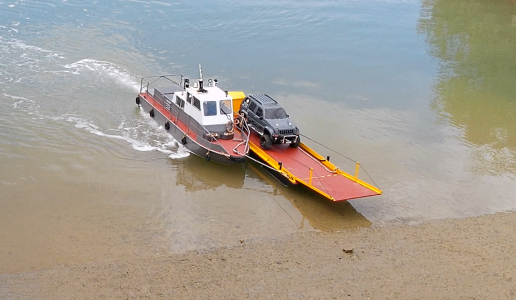
Modified Stiletto project - and decals.
Started with printing some decals today but not happy with the stiletto decal. If you want colours to stand out better or need white, you have to use white decal paper. The problem with this is having to try and trim round the picture so you don't have any white showing.
I found a way round this by trying to match the background to the surface the decal's going on.
You can do this in paint, or in windows 11 in the photo editing section (remove/replace background) It's sometimes hard to match colours, even using custom colours, but there is another way I came up with, and that is to take a clear pic of the surface you want to match, then use that as a background and then add text or subject over that. This can work well on certain designs, as long as you are not too critical.
I managed to almost exactly match Chrysler Charger orange to that paint on one of my planes using that method. With the runabout decal. I managed to match the woodgrain on the decal to the boat. Using white decal paper is easy on white, and it stops the colours looking opaque. There are limitations with colours, but as printers can't print white yet, it can be a useful method.
Make the background large enough so it can be easily trimmed as close as possible to the subject, as this will make it less noticeable.
Another idea I came up with was how to save expensive decal paper. If you finalize your image, (center it if possible) then print it on plain paper (A4) to check the size, (adjust as necessary) then sellotape a piece of decal paper over that image, (make sure it covers the edges and is smoothed down flat, or it might catch in the printer) leaving about 4-5mm round the image so no sellotape overlaps it, (hold it up to the light to make sure), then place the paper in the printer tray so it comes out the same way as before on the same settings as before, and the printer should print pretty much exactly over the image. (rough example pic5)
Leave the image on the paper and leave the ink to dry (I put them in the oven at 50c till dry) then spray a few coats of clear over it (still taped to the paper), then let that dry (oven's good for this as well (as long as the boss is ok with it😉). When dry, trim the decal to suit and
apply. My reason for using this method to save decal paper is, if you use a whole sheet for a small decal, and spray the clear over the image, you can't print on any surrounding paper with spray on it.
Clear decal paper works best with dark on light (pic 4) as the other way round the decal can look opaque.
I have even managed to print on silk using the tape/overlay method. (pic 6)
JB
short video of the overlaid printing
I found a way round this by trying to match the background to the surface the decal's going on.
You can do this in paint, or in windows 11 in the photo editing section (remove/replace background) It's sometimes hard to match colours, even using custom colours, but there is another way I came up with, and that is to take a clear pic of the surface you want to match, then use that as a background and then add text or subject over that. This can work well on certain designs, as long as you are not too critical.
I managed to almost exactly match Chrysler Charger orange to that paint on one of my planes using that method. With the runabout decal. I managed to match the woodgrain on the decal to the boat. Using white decal paper is easy on white, and it stops the colours looking opaque. There are limitations with colours, but as printers can't print white yet, it can be a useful method.
Make the background large enough so it can be easily trimmed as close as possible to the subject, as this will make it less noticeable.
Another idea I came up with was how to save expensive decal paper. If you finalize your image, (center it if possible) then print it on plain paper (A4) to check the size, (adjust as necessary) then sellotape a piece of decal paper over that image, (make sure it covers the edges and is smoothed down flat, or it might catch in the printer) leaving about 4-5mm round the image so no sellotape overlaps it, (hold it up to the light to make sure), then place the paper in the printer tray so it comes out the same way as before on the same settings as before, and the printer should print pretty much exactly over the image. (rough example pic5)
Leave the image on the paper and leave the ink to dry (I put them in the oven at 50c till dry) then spray a few coats of clear over it (still taped to the paper), then let that dry (oven's good for this as well (as long as the boss is ok with it😉). When dry, trim the decal to suit and
apply. My reason for using this method to save decal paper is, if you use a whole sheet for a small decal, and spray the clear over the image, you can't print on any surrounding paper with spray on it.
Clear decal paper works best with dark on light (pic 4) as the other way round the decal can look opaque.
I have even managed to print on silk using the tape/overlay method. (pic 6)
JB
short video of the overlaid printing
Liked by Commodore-H and Razor1955 and